
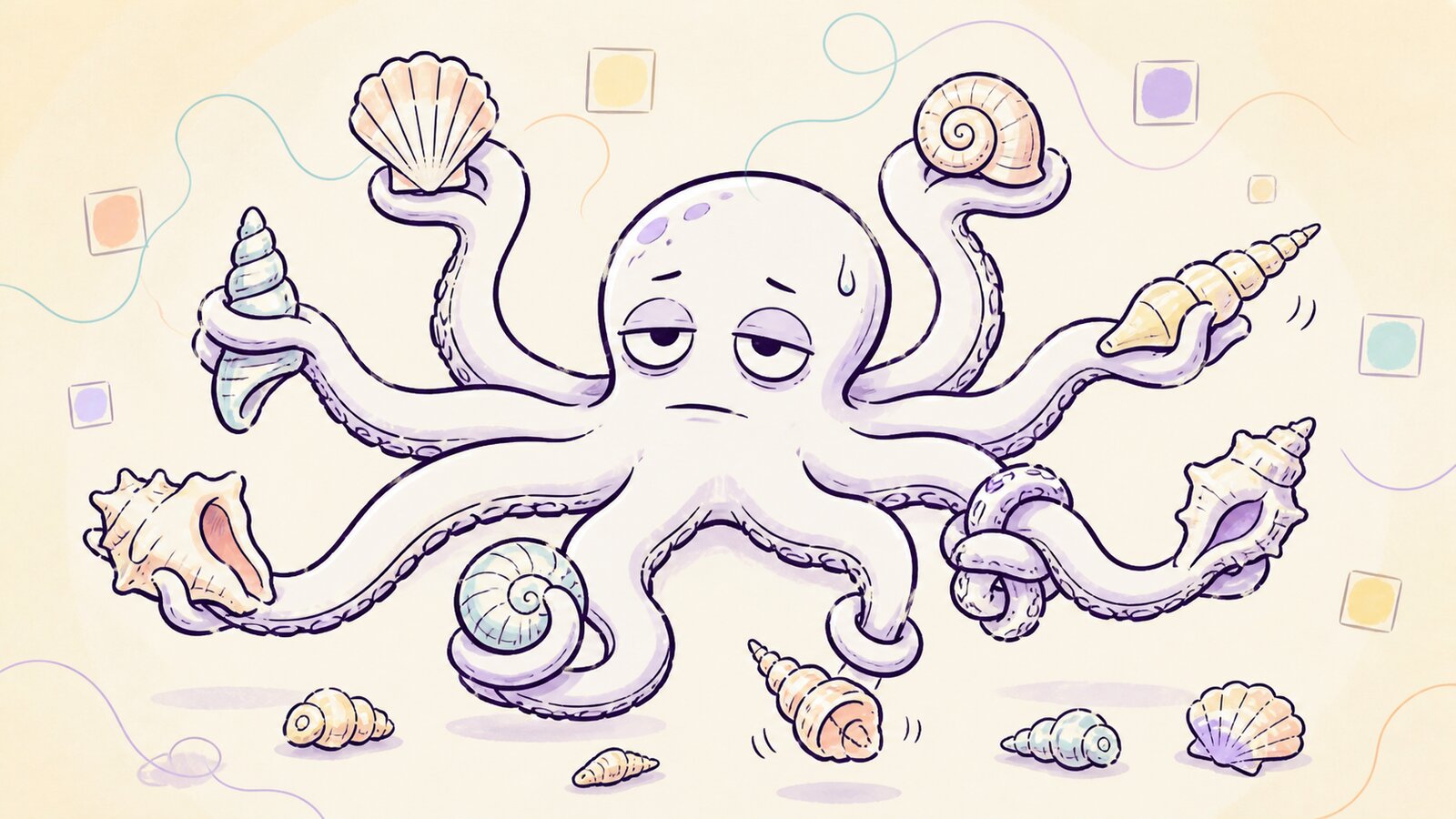
Writing this piece by hand1 terrifies me more than it did in 2025, when I forced myself to handwrite an article about my AI addiction. To share what I’d learned, but also to prove I could still write without AI.
The article struck a nerve, and even got me portrayed as a hopeless AI addict in The Atlantic. (With the apt title “The People Outsourcing Their Thinking to AI.” Any press is good press right? Right?)
In last year's confessions, I advised fellow AI addicts: “Write something by hand, daily.” Another: “Know when to pay attention, then do.” As you’ll find in these confessions, I failed at both for most of the year.
It’s all Claude’s fault.

Mid 2025, I tried Claude Code (CC). In less than 24 hours, I went from paying Anthropic nothing to forking out $200 a month for their Max 20x plan.
CC gave me new superpowers (like building a styleguide system in half an hour), but it also turned me into a multitasking madman.
Compared to a regular Claude or ChatGPT chat, CC is slow. It uses more tools (to read local files, search the web, create scripts, and much more), and does so more often. You’re essentially trading speed for capability. It also means you’re often waiting, waiting, and then waiting some more, often for minutes on end, while CC does its agentic thing.
The waiting is too long to do nothing, and too short to go do something else. Yet something else is what I do: open up another CC session.2
Soon, I’ll have six, seven, sometimes even more CC tabs open. I cycle through them quickly, checking which one’s ready for my next instruction.
Tab - tab - tab - prompt - tab - prompt - tab - tab - prompt, on and on. It’s hard to come up with a more absurd way to work.
Multitasking takes longer than single-tasking. It makes you tired, stressed, and leads to more mistakes. And if anyone knows all of this, it’s me. I’ve spent close to two decades reading and writing about the folly of multitasking. Still, CC seduces me into this trap, and I fall for it every day.
I’ve found solutions, but frankly, they look like an alcoholic changing liquor for wine.
Take my vibe-coded Terminal app. It limits my open CC tabs to three. That’s better than ten, but still two tabs too many, pre-Claude Tim would point out.

The other problem is slop. Not the sort you wade through on LinkedIn, but the one Claude produces while I’m working with it: doc slop.
In the time I make a round trip through my open session tabs, Claude writes an A4-stack worth of text: plans, briefs, scripts, or entire workflows. There’s no way to keep up.
In my early CC days, with weaker models, a kind of natural selection would happen: I’d abandon projects after the hundredth back and forth with Claude (”No, the bug is STILL NOT FIXED!”), or forget them.3
That approach no longer works. With the more capable models we have now, most things just work, which is good. But spotting problems is harder, which is bad. It means you need to become more systematic about:
The projects you pursue. If you can create anything, the bottleneck becomes attention. Chase too many ideas, and nothing gets done well.
How you build. Obvious problems are gone, so you're left with unknown unknowns. Those you can only catch with better designs, development, and testing methods.
An example: I recently found out4 that I’d installed a useless script during one of my vibe coding sprees. The little check fired silently on every interaction I had with Claude. Not just every session, but every turn in a conversation.
Each check took about 10 seconds, delaying Claude's answers to me. Back of the envelope, it has cost me 10 seconds x 100 prompts x 100 days = 100,000 seconds. Roughly 27 hours of waiting around! (Though, of course, I session-tabbed my way through most of the waiting, the only benefit of my multitasking habit).
Who knows what other terrible mistakes are hiding in my setup, perhaps never to be found?
That brings me to the most uncomfortable insight of these confessions: do I still know what I’m doing? Am I productive? Do I add value?
I don't have an easy answer.
On a good day, AI can bring out the best in me. I’m creative, get lots done, and create things I could never have without AI.
On a bad day, I’m still at it by 11 pm. I’m tired, with eight tabs unsettled, unsure whether I’m staring at a decent doc or a piece of slop. (When in doubt, it’s slop. But good luck telling your 11 pm self.)
In its outputs, the algorithms reflect back the quality of your inputs. Slip for a moment and you end up in slop, creating problems that take days, weeks, or, like my earlier example, months to find.
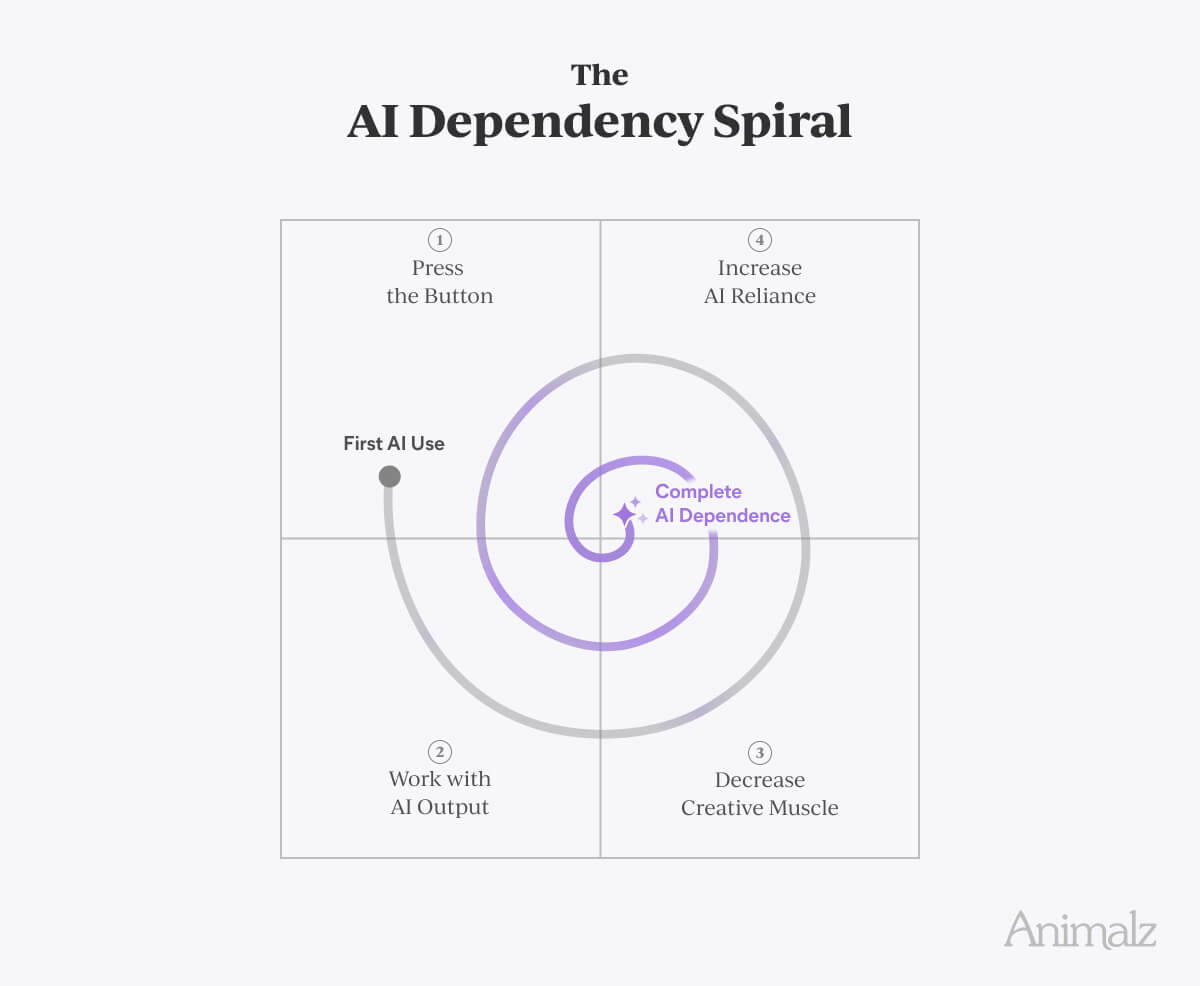
This makes thought before action more important than ever. Yet in a cruel twist, AI constantly woos our brains into laziness, sending us down the AI dependency spiral.

The situation reminds me of a quote from Cal Newport’s Deep Work that resonates as much now as it did in 2016: “The ability to perform deep work is becoming increasingly rare at exactly the same time it is becoming increasingly valuable.”
The same is true for AI and our ability to think. Amidst the relentless multitasking, and AI’s endless temptations to just reach for The Button, we must find ways to keep our brains somewhat functional. Here's what I've been trying lately.
The most important change, though a band-aid, is to work in 25-minute sessions, with 5 minute forced breaks in between. This rhythm has two advantages for the AI-addicted multitasker:
Your mind gets regular breaks from the session switching.
Working longer stretches leaves me more drained than doing these
short intervals. (There's probably research that backs this up,
but my brain doesn't want to wade through Google's blue links to
find it.)You get more chances to escape rabbit holes. Stepping away regularly gives a chance to realize you’re not on the right path, which is important, as AI can race you down the wrong one.
The second solution is writing things out on paper. Not necessarily entire articles like this one, but important communication, design specs, or the guts of a doc. It forces you to think for yourself, prevents AI from filling the blank page, and protects you from “accidentally” involving AI when you're typing out your thoughts.
Now, if you're paying attention, this exact tip was in last year’s confessions. The difference is that I've only seriously followed through on this one in the past two months, so it bears repeating. Also, the latest AI models ace even the worst handwriting (I’m proof), so you can drop pictures of handwritten notes into Claude as prompts.
Another solution is more high tech than pen and paper. CC creates lots of markdown (.md) files: plans, briefs, drafts, agent files, and its own instructions; it’s all markdown.
Reviewing these in TextEdit, a browser, or even proper markdown programs doesn’t work for me. They look off, might show *raw markdown syntax*, and don’t support in-line comments. Worse, all these experiences encourage skimming, not real editing and polishing.
Essentially, I was missing a Google Docs-like experience for reviewing Claude’s output.
To solve this, and inspired by Every’s agentic Proof editor, I created Redline. It opens your md file in a browser (which is fast), and then allows you to leave comments and edit. When you’re done, you click a button that packs up the feedback, which you then drop back into CC.

This change seems small, but it makes me an editor instead of a skimmer, which helps prevent slop.
Finally, research and learning have become an even more important part of my job than before.
Of course, you should always be learning from others, especially since it’s impossible to keep up with everything AI-related by yourself. But there’s more to making time for learning than just that.
We’ve all been taught to avoid jargon. But complex, profession-specific words don’t trip up algorithms. They tell them more precisely what you want.
Consider the difference between these prompts:
“Write me an article about the benefits of CRM systems that will give me more business.”
Versus:
“Write me a BoFu article that opens with a strong hook on sales people losing deals because they’re not using a CRM. Make sure there are no more than five H2 sections, and end with a CTA that connects to the MQL goal we have for H2.”
Most Animalz readers understand the second prompt; most other people don’t. It’s full of content marketing jargon, which gives AI more precise instructions than the first prompt.
Since I’m trying to graduate from self-made vibe coder to professional AI engineer, I can benefit from upping my jargon.
For example, I’ve started reading a book called System Design Interview - volume 1. (Claude recommended it when I asked "Should I learn to code?" It said "No, read this instead.")
The book targets senior engineers at Big Tech companies like Google, Meta, and Amazon. I don't understand half of the chapters, but the other half has given me a better understanding of system design, and more precise vocabulary to talk to Claude.
I now find myself saying things to Claude like, “What’s the TTL we’ve set on that cache file?”, or “Shall we set up a message queue for the QA step?”
Perhaps a journey of wild ups and downs is the only way to find a balanced co-existence with AI. Despite my struggles, I'm excited most of the time, and optimistic about the future on many days.
Call me stubborn, crazy, or blinded by addiction, but I’m still convinced AI can be beneficial for our work and lives. But it’s an incredibly powerful force, which comes with downsides as extreme as its upsides. The art is reaping the good while keeping the bad in check.
Will I be Frodo or Gollum?
Can I really wield AI's power and not become corrupted?
Or am I under its spell, not realizing how lost I already am?
Perhaps 2027's confessions will tell. Until then, think for yourself, slay slop, and don’t let anyone tell you extreme measures like hand writing are crazy. Such tactics are the best counterbalance against the formidable force we’re dealing with.
Footnotes
The rule for writing this year’s confessions is the same as last year’s: first draft written by hand, and no AI involved anywhere in the process by me, the author. This includes not using AI to get the hand written notes digitized, no AI mode nor overviews in Google Search, and so on. The one exception is the cover image (and this paragraph). Our designer hand-sketched the octopus-and-shells concept, and I then used AI (Claude for the prompt, GPT Image for the rendering) to turn it into the final illustration in our blog's style, and to write this very note about it.
I’m not the only one reporting this behavior. For example, Animalz alumni Katie Parrot, now at Every, does the same.
You no longer hide a dead body on the 2nd page of Google; you put it on the 8th tab of your CC terminal.
By running CC’s /doctor command.